How to Do Bookkeeping for a Small Business (Step-by-Step)
Learn the exact steps to set up and run bookkeeping for your small business, even if you've never touched a ledger before.
By Nasir Khan · July 14, 2026 · 9 min read

Every small business owner eventually hits the same wall: sales are coming in, bills are piling up, and nobody is tracking where the money actually goes. Bookkeeping is the discipline that fixes that. It doesn't require an accounting degree, just a system and the consistency to follow it.
This guide walks through the practical steps to do your own bookkeeping, from the first decisions you need to make to the habits that keep your books clean month after month. If you're brand new to the topic, it helps to first understand what bookkeeping actually is and how it differs from accounting.
Step 1: Choose Your Bookkeeping Method
Before you enter a single transaction, decide how you'll record income and expenses. There are two main approaches.
Cash vs. Accrual
Under the cash method, you record income when you receive it and expenses when you pay them. Under accrual, you record income when you earn it and expenses when you incur them, regardless of when cash moves. Most very small businesses start with cash basis because it's simpler, but if you carry inventory or extend credit to customers, accrual gives a more accurate picture. Read our full comparison of cash vs. accrual accounting before committing.
Single-Entry vs. Double-Entry
Single-entry bookkeeping is basically a running list of income and expenses, like a checkbook register. Double-entry bookkeeping records every transaction in two accounts (a debit and a credit), which keeps your books self-balancing and is required if you ever want formal financial statements. Almost all accounting software, including QuickBooks and Xero, uses double-entry under the hood even if you never see the mechanics.
Step 2: Set Up a Chart of Accounts
Your chart of accounts is the list of categories you'll use to classify every transaction: things like Sales Revenue, Office Supplies, Rent Expense, and Accounts Payable. A clean chart of accounts makes your reports meaningful; a messy one makes them useless.
- Keep it as simple as possible while still separating categories you actually care about
- Group accounts into Assets, Liabilities, Equity, Income, and Expenses
- Avoid creating a new account for every one-off purchase
- Match your categories to how you file taxes so tax time is easier
For a detailed walkthrough, see our chart of accounts setup guide.
Step 3: Pick a Bookkeeping Tool
You can technically do bookkeeping in a spreadsheet, but dedicated software saves enormous time because it connects to your bank, automates categorization, and generates reports instantly.
- QuickBooks Online — the most widely used option for small businesses; see our QuickBooks Online tutorial to get started
- Xero — a strong alternative with a clean interface, popular with service businesses
- Wave — a free option suitable for very small or early-stage businesses
- Spreadsheets — workable only for extremely simple, low-volume businesses
Step 4: Record Transactions Consistently
Once your tool is set up, connect your business bank account and credit cards so transactions import automatically. Your job becomes reviewing and categorizing each transaction rather than typing them in by hand.
Build a Weekly Habit
Set aside 20-30 minutes each week to categorize new transactions, file receipts, and note anything unusual. Waiting until month-end (or worse, tax season) to catch up almost always leads to missing receipts and guesswork.
Keep Business and Personal Separate
Open a dedicated business bank account and card, even if you're a sole proprietor. Mixing personal and business spending is one of the fastest ways to make your books inaccurate and your tax return a headache.
Step 5: Reconcile Your Accounts Every Month
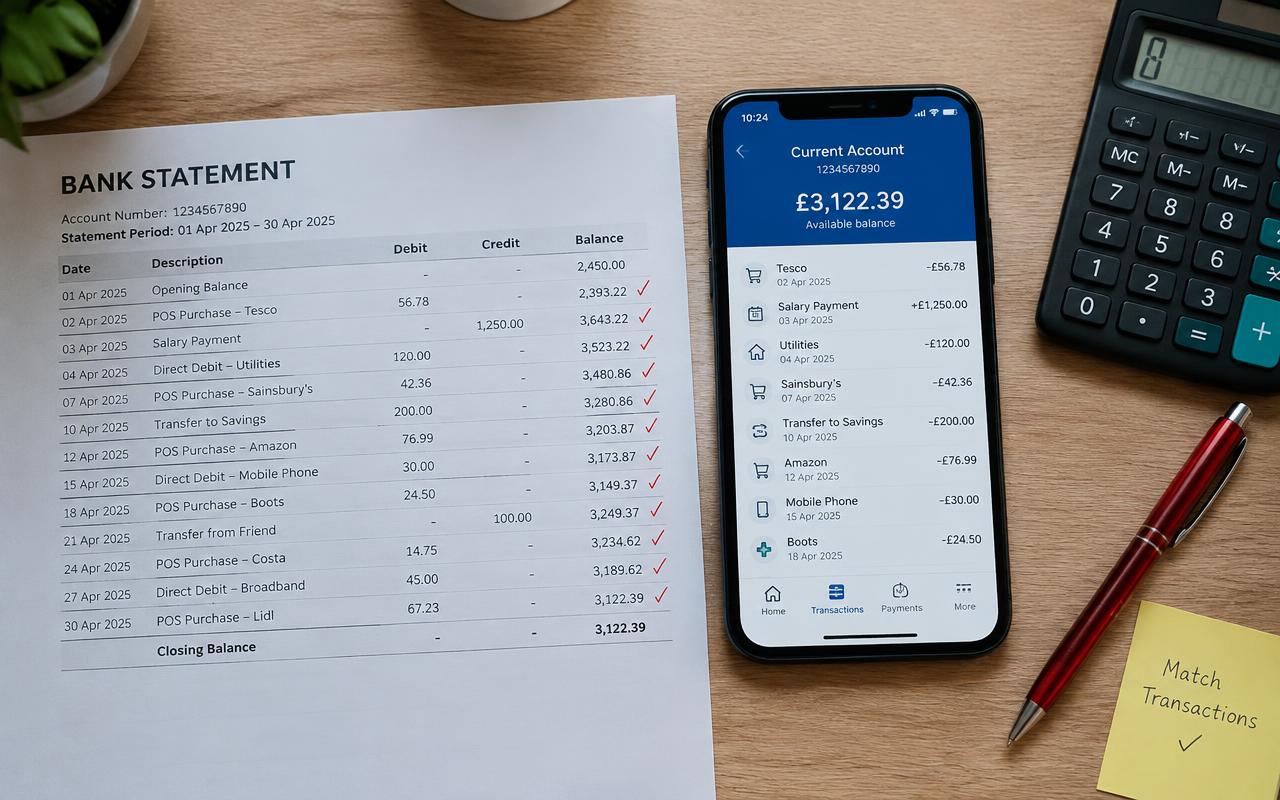
Reconciliation means comparing your bookkeeping records against your actual bank and credit card statements to confirm they match. This step catches missing transactions, duplicate entries, and bank errors before they snowball. Our bank reconciliation guide covers the process in detail, but the short version is: do it every month, without exception.
Step 6: Review Your Financial Reports
Good bookkeeping isn't just about recording the past, it's about giving you information to run the business. At a minimum, review these reports monthly:
- Profit and Loss (Income Statement) — shows revenue, expenses, and net profit over a period
- Balance Sheet — shows what you own, what you owe, and your equity at a point in time
- Cash Flow Statement — shows how cash moved in and out of the business
Step 7: Stay on Top of Payroll and Taxes
If you have employees, payroll needs to be processed accurately and on time, with the correct tax withholdings recorded in your books. Even if you're a solo operator, you'll need to track estimated tax payments and sales tax if applicable. Most accounting software can automate sales tax calculations and generate the reports your accountant needs at filing time.
Step 8: Avoid the Common Pitfalls
Many small business owners fall into the same traps: letting receipts pile up, miscategorizing expenses, or forgetting to reconcile. We cover the full list in 10 common bookkeeping mistakes small businesses make, but the biggest one by far is simply not doing bookkeeping consistently.
Step 9: Know When to Get Help
DIY bookkeeping works well for simple businesses, but as transaction volume and complexity grow, many owners bring in a part-time or outsourced bookkeeper. If you're weighing that decision, our bookkeeper cost and pricing guide breaks down what to expect to pay and what you get for it.
Whether you do it yourself or hand it off, the steps above stay the same: choose a method, set up your accounts, record transactions consistently, reconcile monthly, and review your reports. Build those habits and your books will always be ready when you need them, whether that's for a loan application, a tax filing, or simply knowing if you made money this month.
Frequently asked questions
Can I do my own bookkeeping without an accounting background?
Yes. Most small business bookkeeping is categorizing transactions correctly and staying consistent. Modern software handles the double-entry mechanics automatically, so you don't need formal accounting training to get started.
How often should I update my books?
Ideally weekly. Reviewing and categorizing transactions every week keeps the task small and manageable and prevents a huge backlog at month-end or tax time.
What's the minimum software I need?
At minimum, a tool that connects to your bank account and lets you categorize transactions, such as QuickBooks Online, Xero, or Wave. A spreadsheet can work for very simple, low-volume businesses.
How do I know if my books are accurate?
Reconcile your accounts every month against your bank and credit card statements. If the reconciled balance matches your statement balance, your books are accurate for that period.
When should I hire a bookkeeper instead of doing it myself?
Consider hiring help once bookkeeping starts taking more than a few hours a week, when you add employees or inventory, or when you simply want the accuracy of a professional for tax and lending purposes.
Related guides

What Is Bookkeeping? A Complete Beginner's Guide
A plain-English introduction to bookkeeping: what it is, why every small business needs it, and the core tasks you'll need to master.
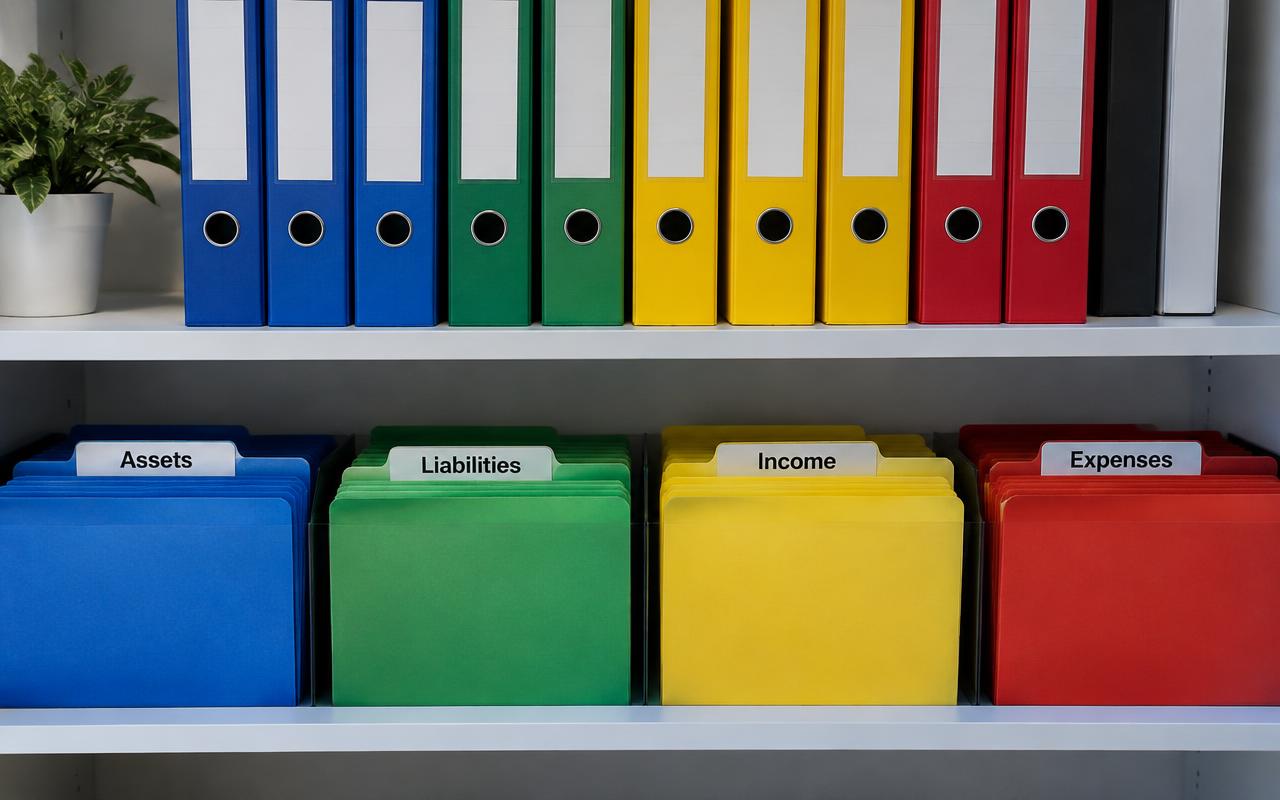
Chart of Accounts: Complete Setup Guide
A well-built chart of accounts is the backbone of accurate books. Here's how to set one up correctly from the start, with real-world examples.
Bank Reconciliation: A Step-by-Step Guide
Bank reconciliation is the single best habit you can build to catch errors, fraud, and missing transactions before they become a real problem.