Monthly Bookkeeping Checklist for Small Business Owners
A step-by-step checklist to close your books every month, catch errors early, and always know where your business actually stands financially.
By Nasir Khan · August 4, 2026 · 8 min read
A lot of small business owners treat bookkeeping as something to deal with at tax time, which usually means a frantic scramble through a year of receipts and bank statements. The fix is simple in concept, if not always in practice: close your books every single month on a consistent schedule.
A monthly close doesn't need to take days. With a clear checklist and a bit of discipline, most small businesses can wrap up their books in a few focused hours. This guide walks through exactly what to do each month, building on the fundamentals covered in how to do bookkeeping for a small business.
Why a Monthly Close Matters
Closing your books monthly means reviewing, reconciling, and finalizing all transactions for the period so your financial statements are accurate and ready to use. This habit catches errors while they're still fresh and cheap to fix, keeps you informed about cash flow in near real time, and makes tax season dramatically less stressful. It's also one of the best defenses against the common bookkeeping mistakes that compound when records sit untouched for months.
Week 1: Gather and Organize
Collect source documents
Pull together bank and credit card statements, receipts, invoices sent and received, and any payroll reports for the month. If you're using cloud accounting software connected to your bank feeds, most of this happens automatically, but it's still worth confirming nothing is missing.
Categorize transactions
Review every transaction that came in through your bank feed and assign it to the correct account in your chart of accounts. Flag anything unclear for follow-up rather than guessing, since miscategorized expenses distort your reports and can cause tax issues.
- Confirm all bank and card accounts are connected and feeds are current.
- Categorize every uncategorized transaction.
- Match deposits to invoices and sales records.
- Flag and research any transaction you don't recognize.
Week 2-3: Reconcile and Review
Reconcile every account
Reconciliation means confirming that your books match your actual bank and credit card statements, line by line. This is the single most important step in the monthly close — it's how you catch missing transactions, duplicate entries, and bank errors. See the full bank reconciliation guide for a detailed walkthrough.
Review accounts receivable and payable
Run an aging report for both receivables and payables. Follow up on invoices more than 30 days overdue, and make sure you aren't missing any bills that need to be paid. This is also a good time to write off any invoices that are genuinely uncollectible so your receivables balance reflects reality.
Don't skip small accounts
Petty cash, a rarely-used savings account, or a payment processor balance (like PayPal or Stripe) still need reconciling. Small, neglected accounts are a common source of quietly accumulating errors.
Review payroll and taxes
Confirm payroll ran correctly and that related liabilities (withheld taxes, benefits deductions) are recorded accurately. If you collect sales tax, verify the amount owed matches what you've recorded and set aside funds so you aren't caught short when the filing deadline arrives.
Week 4: Close and Report
Record accruals and adjustments
If you use accrual-basis accounting, record any revenue earned or expenses incurred that haven't yet hit your bank account, such as unpaid invoices or bills due next month. This also includes depreciation, prepaid expense amortization, and inventory adjustments where applicable.
Generate and review financial statements
Pull your profit and loss statement, balance sheet, and cash flow statement for the month. Compare them against prior months and your budget if you have one. Look for anything that seems off — an expense category that spiked unexpectedly, or revenue that doesn't match what you remember invoicing.
- Reconcile all bank, credit card, and payment processor accounts.
- Review and clean up accounts receivable and payable.
- Record month-end accruals and adjusting entries.
- Generate profit and loss, balance sheet, and cash flow reports.
- Compare results to budget or prior periods and note anomalies.
- Back up or export your financial data for the month.
- Lock the period in your software to prevent accidental edits.
Tools That Make This Easier
Modern accounting software removes much of the manual burden here. If you're new to a platform, the QuickBooks Online tutorial covers the basics of bank feeds, reconciliation, and reporting that make this monthly routine far faster. Most platforms also let you lock a closed period so prior entries can't be accidentally changed, which protects the integrity of your historical reports.
Building the Habit
Pick a consistent day each month, such as the 5th or 10th, to start your close, and treat it as a non-negotiable appointment. Businesses that stick to a calendar date catch errors faster and spend far less time untangling problems than those that close books sporadically. If this routine consistently feels overwhelming, it may be a sign to bring in outside help — see our bookkeeper cost and pricing guide for what that typically costs.
Frequently asked questions
How long should a monthly close take?
For a small business with modest transaction volume, a monthly close typically takes two to six hours once a routine is established. Businesses with higher volume, multiple accounts, or payroll complexity may need a full day or more, or benefit from outsourcing.
What's the difference between reconciling and categorizing?
Categorizing assigns each transaction to the correct account (like office supplies or sales revenue). Reconciling confirms that your recorded transactions match your actual bank and credit card statements exactly, catching missing or duplicate entries.
Should I close my books even if I have no bookkeeper?
Yes. Even a basic monthly review — reconciling accounts and glancing at a profit and loss statement — is far better than letting months pass untouched. It keeps small errors from becoming big problems and gives you an accurate read on your cash position.
What if I find an error from a prior closed month?
Most accounting software lets you reopen a locked period or make a dated adjusting entry in the current period. Document what happened and why, and if the error is material, consider discussing the correct treatment with a bookkeeper or accountant.
Do I need financial statements every month if I'm a solo business?
Yes, in a simplified form. Even a basic monthly profit and loss statement helps you track whether you're actually profitable and spot spending trends before they become serious cash flow problems.
Related guides
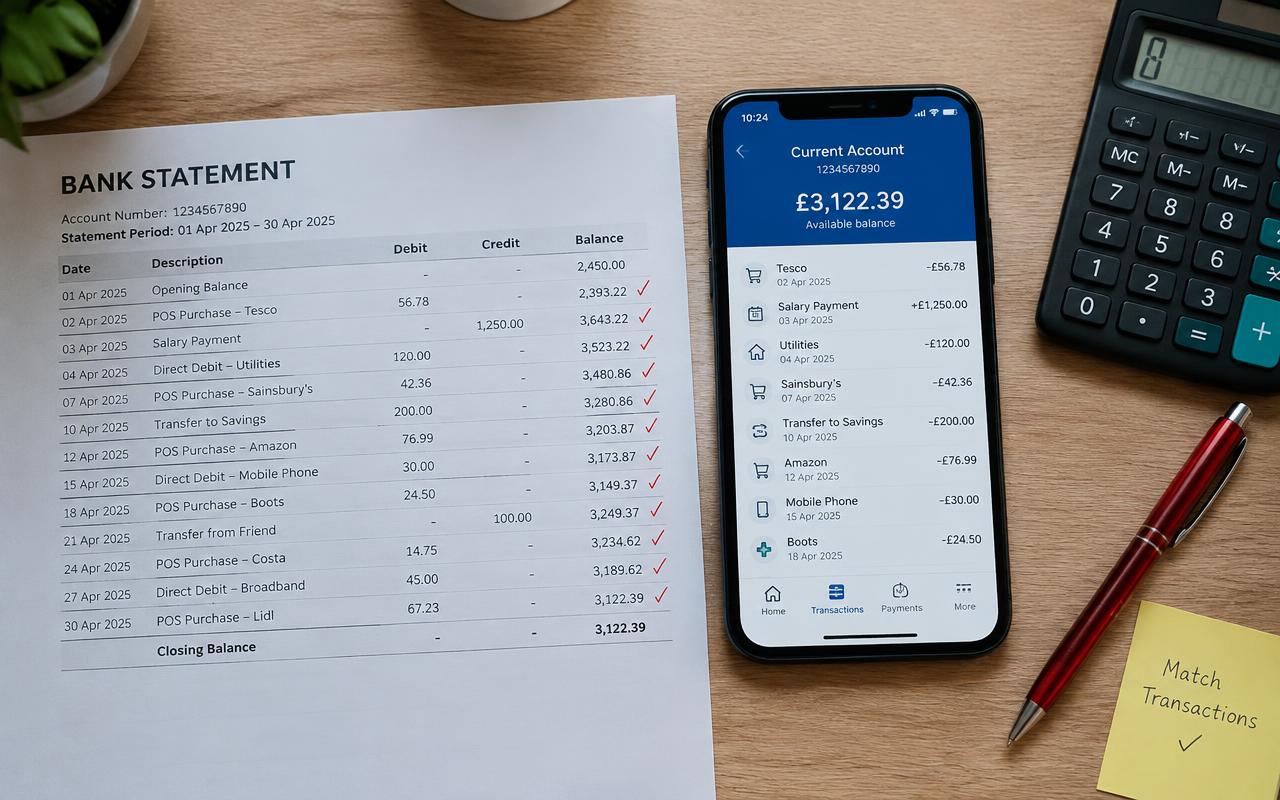
Bank Reconciliation: A Step-by-Step Guide
Bank reconciliation is the single best habit you can build to catch errors, fraud, and missing transactions before they become a real problem.

How to Do Bookkeeping for a Small Business (Step-by-Step)
Learn the exact steps to set up and run bookkeeping for your small business, even if you've never touched a ledger before.

How Much Does a Bookkeeper Cost? Pricing Guide
A breakdown of what bookkeepers actually charge in 2026, from hourly freelancers to full-service firms, so you can budget with confidence.